
For accountants, tax preparers, and self-preparers
Stop spending hours sorting bank transactions.
Turn your bank transactions into organized information, ready for tax return preparation, through WhatsApp.
The full process
A flow designed for your total control.
Adjust, iterate, and approve each result as many times as you need before generating your final reports.
1065
1120
1120S
Schedule C
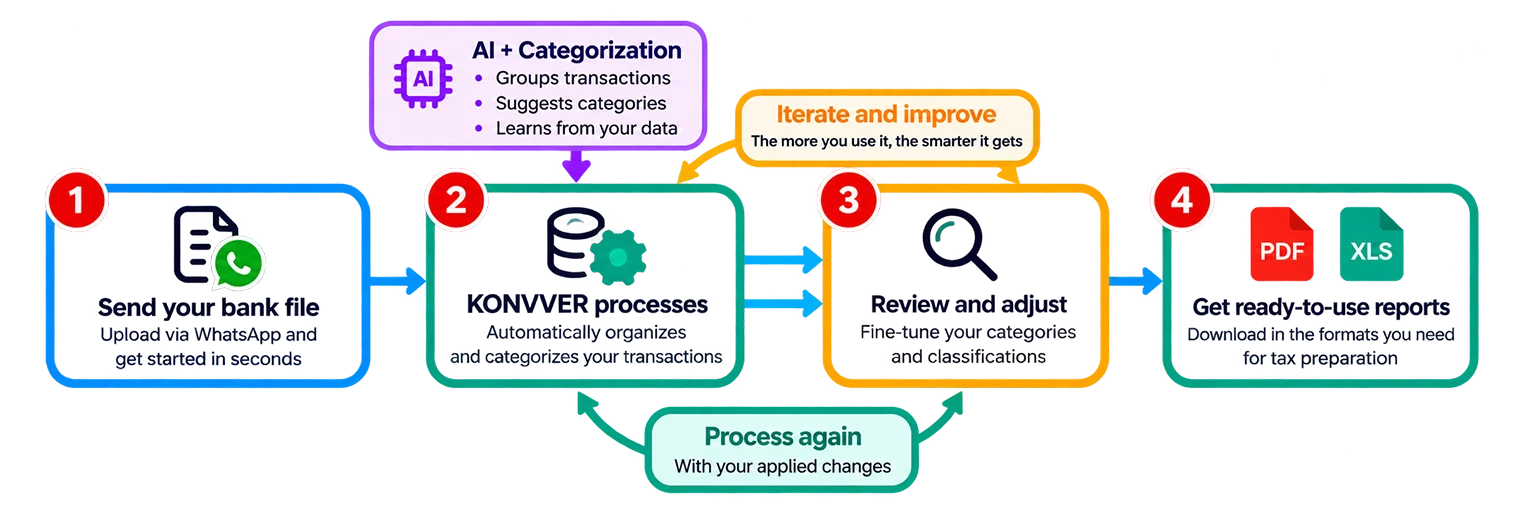
Workflow
KONVVER Web
Do more in less time.
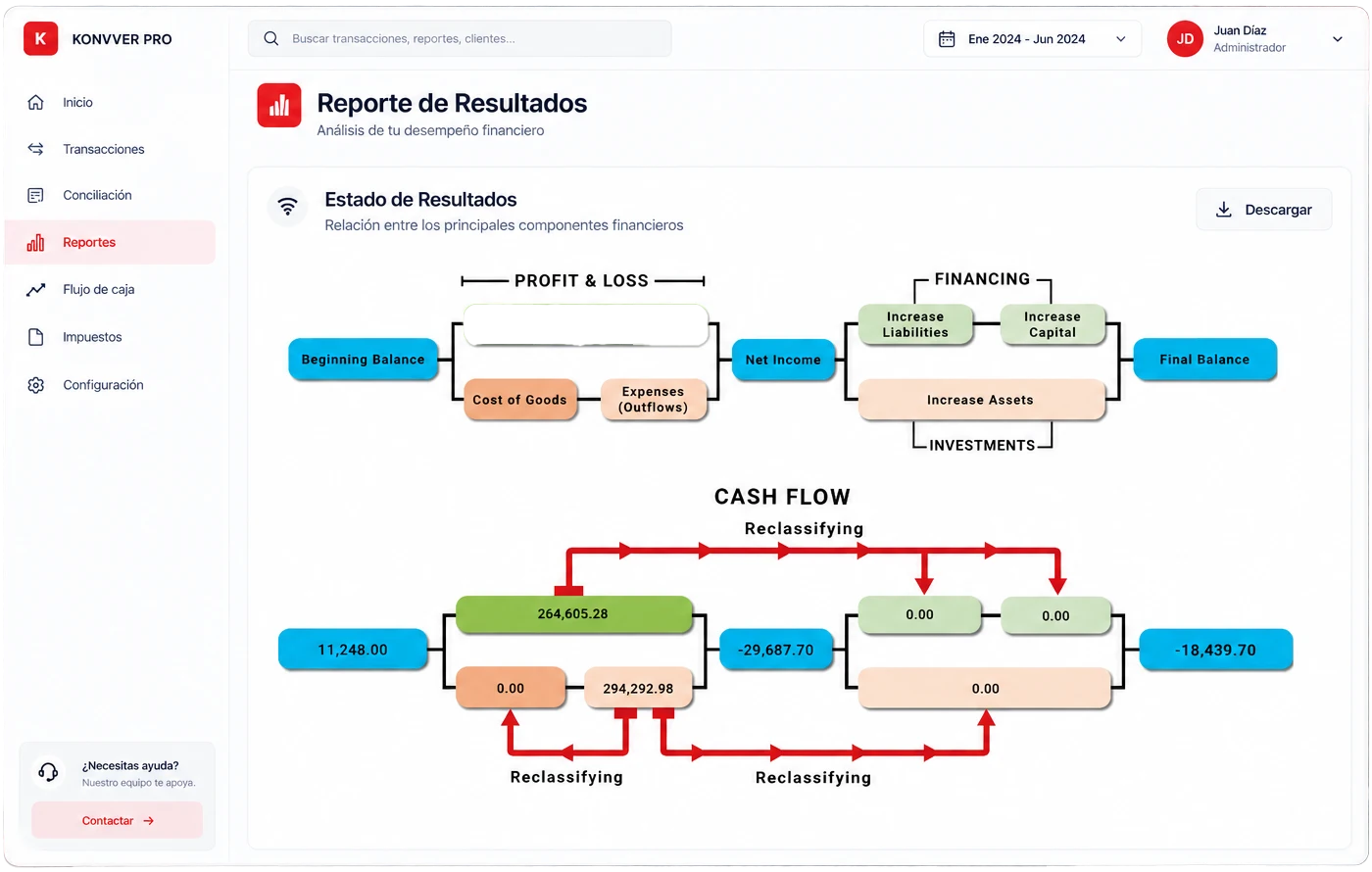
KONVVER has its own web platform, helping you be more productive while always keeping you in control.
- The web interface lets you classify hundreds and thousands of bank transactions
- Cash flow visualization
- Profit and loss
Exports to QuickBooks
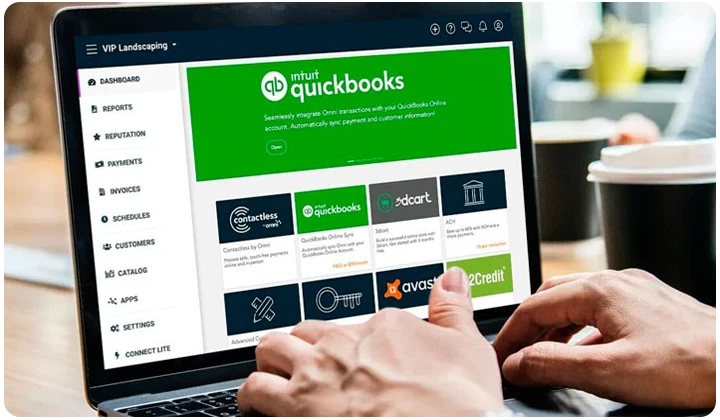
Reports ready for QuickBooks
When you process your bank statements in KONVVER, your financial reports are also automatically generated in QBW format, so you can make the most of all QuickBooks tools and capabilities quickly and accurately.
- Cash Flow
- Profit and Loss
- Balance Sheet
Testimonials
Businesses already saving time with KONVVER.
“KONVVER has saved me hours of work. Generating reports used to be a problem, and now it’s fast and simple.”

Delfina López
theglobalteam.org
“Using KONVVER has been a before and after for us. Tax prep used to be a headache, and now we save time and avoid the stress.”

Francesco Theodoli
chartermiamibeach.com
“I never thought tax prep could be this simple. With KONVVER everything is organized and easy to understand.”

Real Estate Club
therealestateclub.com
Ready to start
Get your time back with KONVVER.
Eliminate repetitive work when processing transactions for tax preparation.